Choosing among receipt printers for Mac is easier when you focus on connection type, macOS compatibility, print speed, and the paper width your point-of-sale system requires.
We compared 10 thermal POS printers with common features such as USB, Ethernet, auto cutters, cash-drawer support, and 80mm paper compatibility to help you find the right fit.
Best 10 Receipt Printers for Mac Picks for 2026
Best Wired Mac Pick
Rongta RP332 80mm Receipt Printer

- Mac support through USB, serial, or Ethernet
- 250mm/s printing with auto cutter
- No Wi-Fi, Bluetooth, or mobile-device support
Best For: Wired Mac desktop and laptop POS setups
Best Flexible Connectivity
MUNBYN P047 80mm Receipt Printer

- Supports Mac, Windows, Linux, and ChromeOS
- Adds Bluetooth for Android and Windows computers
- No iOS, Wi-Fi, Doordash, or Grubhub support
Best For: Mixed wired setups with compatible Android or Windows devices
Best Value Mac Workhorse

- Mac support with USB, serial, and Ethernet
- 250mm/s printing with auto cutter
- Direct thermal operation needs no ink
Best For: Fixed wired Mac counters in retail and food-service settings
Best High-Speed Wired Model
Rongta RP820 80mm Thermal Printer
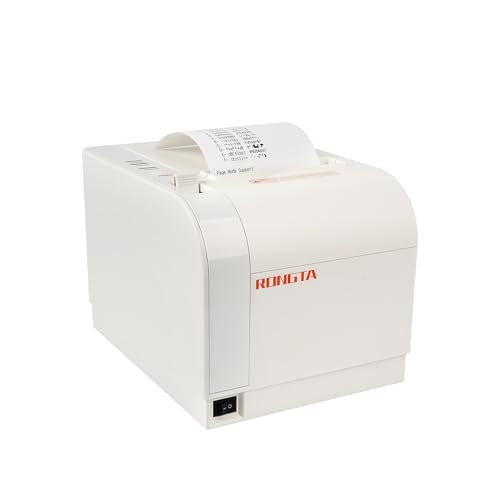
- Up to 300mm/s printing with auto cutter
- Mac support through USB, Ethernet, or serial
- No Wi-Fi, Bluetooth, Square, or delivery-app support
Best For: High-volume wired Mac retail and restaurant counters
Fast USB Pick
NetumScan 80mm Thermal Receipt Printer

- Mac, Windows, and Linux support
- 300mm/s printing with auto cutter
- USB-only; check POS compatibility
Best For: Fast desktop receipt printing with compatible Mac POS software
Simple USB Value
MUNBYN P098 80mm Receipt Printer

- 200mm/s thermal printing
- Automatic cutter and wall-mount design
- USB-only with broad app restrictions
Best For: Basic wired printing from a compatible desktop POS system
Most Flexible Connectivity
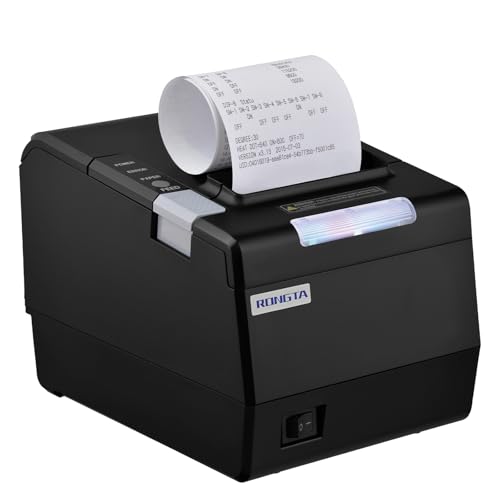
- Mac, Windows, and Linux support
- USB, Ethernet, and serial interfaces
- Supports 80mm or 58mm paper
Best For: Commercial wired networks and Mac POS setups needing multiple interfaces
Best Value Wall-Mount Option
MUNBYN ITPP047 80mm Thermal Printer
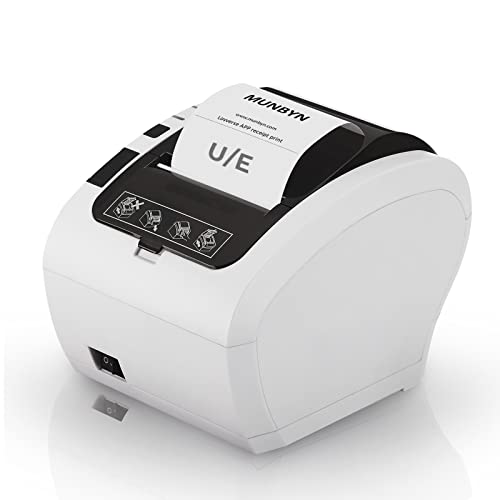
- 230mm/s printing with automatic cutter
- USB and Ethernet connectivity
- Energy STAR certified and wall-mountable
Best For: Space-conscious businesses using compatible wired POS systems
Best for Established POS Workflows
Epson TM-T20IV Thermal Printer

- Fast 310mm/s printing
- USB, serial, and Ethernet interfaces
- Paper-saving and durable business design
Best For: High-volume retail and restaurant POS installations
Best Mac Compatibility Listing

- MacOS compatibility is explicitly listed
- 250mm/s printing with auto cutter
- Cash-drawer support and wired interfaces
Best For: Mac businesses using compatible wired POS software
Best Wired Mac Pick – Rongta RP332 80mm Receipt Printer
The Rongta RP332 is a practical choice for shoppers seeking receipt printers for Mac with dependable wired connectivity. It supports Mac computers through USB, serial, or Ethernet, prints at up to 250mm per second, and includes an auto cutter. It does not support Wi-Fi, Bluetooth, mobile devices, or several major delivery and POS platforms, so verify compatibility before buying.
Best For: Mac desktop or laptop setups that need USB, serial, or Ethernet receipt printing and cash-drawer support.
Pros:
- Supports Mac, Windows, and Linux computers.
- Offers USB, serial, and Ethernet connections, including TCP/IP installation.
- Prints at up to 250mm per second and includes an auto cutter.
- Can be wall-mounted and drive a cash drawer.
Cons:
- No Wi-Fi or Bluetooth connectivity.
- Does not work with iPhone, iPad, Android devices, Chromebook, Square, or several delivery and POS services.
- Requires careful selection of the included 80mm or 58mm driver.
For a Mac-based counter with wired networking, the RP332 offers flexible ports and useful installation options. Its platform restrictions make it a better fit for computer-based ESC/POS setups than app-centered mobile POS systems.
Best Flexible Connectivity – MUNBYN P047 80mm Receipt Printer
The MUNBYN P047 is a versatile option among receipt printers for Mac, combining USB, serial, Ethernet, and Bluetooth connectivity. It supports Mac computers along with Windows, Linux, and ChromeOS, but Bluetooth is limited to Android and Windows computers. Buyers should also note that it does not support iOS devices or several delivery and POS applications.
Best For: Businesses wanting multiple wired connection choices plus Bluetooth printing from compatible Android or Windows computers.
Pros:
- Supports Mac, Windows, Linux, and ChromeOS systems.
- Provides USB, serial, Ethernet, and Bluetooth connectivity.
- Works with cash drawers and can print preset documents through the EMlabel app.
- Supports 80mm paper and includes wall-mounting hardware.
Cons:
- Bluetooth does not support iPhone or iPad.
- No Wi-Fi connection.
- Not compatible with Doordash, Grubhub, Vagaro, or iOS devices.
The P047 stands out when a Mac setup needs wired flexibility and occasional Bluetooth use with Android or Windows hardware. Its compatibility limitations mean it should be matched carefully with the intended POS software before purchase.
Best Value Mac Workhorse – Rongta RP326 80mm POS Printer
The Rongta RP326 is a straightforward choice for receipt printers for Mac when speed and simple wired installation matter. It supports Mac and other listed computer operating systems through USB, serial, or Ethernet, prints at up to 250mm per second, and uses direct thermal paper without ink cartridges.
Best For: Retail counters, restaurants, kitchens, and food trucks using a wired Mac POS or cash-drawer setup.
Pros:
- Supports Mac, Windows, Linux, and older Windows systems listed by the manufacturer.
- Offers USB, serial, and Ethernet ports.
- Prints at up to 250mm per second with an auto cutter.
- Supports ESC/POS commands, cash drawers, and wall mounting.
Cons:
- No Wi-Fi or Bluetooth.
- Not compatible with Doordash, Uber Eats, Square, or GrubHub.
- Designed for 80mm paper, limiting paper-size flexibility.
With fast output, multiple wired interfaces, and a one-button paper-cover design, the RP326 is well suited to a fixed Mac workstation. Its lack of wireless connectivity and app compatibility favors traditional POS software over delivery-platform printing.
Best High-Speed Wired Model – Rongta RP820 80mm Thermal Printer
The Rongta RP820 is a high-speed option for shoppers comparing receipt printers for Mac. It supports Mac computers through USB, Ethernet, or serial connections and reaches a stated maximum speed of 300mm per second. Its auto cutter, wall-mounting design, and cash-drawer support suit busy wired counters.
Best For: High-volume retail, restaurant, hotel, and cafeteria counters using a wired Mac or network POS system.
Pros:
- Supports Mac, Windows, Linux, and listed older Windows versions.
- Offers USB, LAN, and serial interfaces.
- Provides up to 300mm/s printing with an auto cutter.
- Supports ESC/POS commands, cash drawers, and wall mounting.
Cons:
- No Wi-Fi or Bluetooth.
- Not compatible with Grubhub, Doordash, Square, or Chromebook.
- Requires 80mm thermal paper.
The RP820 is appealing when fast output and Ethernet connectivity are more important than wireless access. Its platform and service restrictions should be checked against the specific Mac POS application before ordering.
Fast USB Pick – NetumScan 80mm Thermal Receipt Printer
If you need receipt printers for Mac and prioritize fast USB printing, the NetumScan 8360 is a practical option for a Mac laptop or desktop. It prints 80mm thermal receipts at up to 300mm/s and includes an automatic cutter, but its USB-only design requires checking your POS software before buying.
Best For: Mac-connected retail counters, restaurants, and other setups using compatible desktop POS software.
Pros:
- Supports Windows, Mac, and Linux.
- Fast printing up to 300mm/s with an automatic cutter.
- Uses ink-free direct thermal paper and offers wall-mount holes.
- Overheating protection helps support reliable operation.
Cons:
- USB-only; it does not support LAN, Wi-Fi, or Bluetooth.
- Not compatible with several popular services and mobile devices, including Square POS, Clover, Shopify, iPhone, iPad, and Android devices.
The NetumScan stands out for speed and straightforward Mac connectivity. Confirm that your specific POS application supports its ESC/POS and USB setup before ordering.
Simple USB Value – MUNBYN P098 80mm Receipt Printer
The MUNBYN P098 is one of the more straightforward receipt printers for Mac-style desktop workflows, using a plug-and-play USB connection and 80mm direct thermal paper. Its 200mm/s print speed and automatic cutter suit routine counter service, though the supplied compatibility information emphasizes Windows and excludes iOS devices and several delivery platforms.
Best For: Basic USB receipt printing from a compatible computer in retail, office, or service environments.
Pros:
- Prints at up to 200mm/s and includes an automatic cutter.
- Requires no ink or ribbon.
- Wall-mountable design can help save counter space.
- Over-temperature protection is built into the print head.
Cons:
- Only USB and cash-drawer interfaces; no LAN, Wi-Fi, or Bluetooth.
- The notes specify Windows compatibility and say it does not work with iPad, iPhone, Square, DoorDash, Uber, or Grubhub.
This MUNBYN model is best treated as a basic wired printer rather than a flexible mobile or cloud-POS solution. Verify Mac driver and application support with MUNBYN before purchase.
Most Flexible Connectivity – Rongta RP850 80mm POS Printer
For buyers comparing receipt printers for Mac who need more than a single USB connection, the Rongta RP850 offers USB, serial, and Ethernet interfaces. It supports Windows, Mac, and Linux, accepts 80mm or 58mm paper, and adds an auto cutter plus order-reminder sound and light indicators.
Best For: Commercial Mac, Windows, or Linux setups that need Ethernet or serial connectivity alongside USB.
Pros:
- Supports Windows, Mac, and Linux with a supplied driver guide.
- Provides USB, serial, and Ethernet connectivity, including TCP/IP installation.
- Works with 80mm and 58mm thermal paper.
- Includes an automatic cutter, wall-mount holes, and configurable sound-light indicators.
Cons:
- No Wi-Fi or Bluetooth.
- Not compatible with Square, Clover, Chromebook, many delivery services, Shopify, or mobile devices according to the supplied notes.
- Mac setup requires following the included driver installation instructions.
The RP850 is the strongest choice here when wired network or legacy serial connectivity matters. Its extensive service exclusions make POS compatibility verification essential before ordering.
Best Value Wall-Mount Option – MUNBYN ITPP047 80mm Thermal Printer
If you need receipt printers for Mac with Ethernet or USB connectivity, the MUNBYN ITPP047 offers fast 80mm thermal printing and a built-in automatic cutter. Its compact, wall-mountable design can work well for retail counters, cafés, food trucks, and other businesses, but check POS compatibility before buying.
Best For: Businesses seeking an affordable, space-saving thermal receipt printer for USB- or Ethernet-connected setups.
Pros:
- Prints up to 230mm per second, or more than 40 receipts per minute.
- Automatic cutter helps produce orderly, finished receipts.
- USB and Ethernet connectivity support flexible wired installations.
- ENERGY STAR certification and wall-mounting capability can help reduce operating costs and save counter space.
Cons:
- Not compatible with Shopify, iZettle, Grubhub, or DoorDash.
- The supplied compatibility details do not specifically confirm macOS support, so verify your POS and driver requirements.
The ITPP047 is a practical choice when speed, wired connectivity, and a small footprint matter most. Its listed platform limitations make compatibility checking especially important for Mac-based POS systems.
Best for Established POS Workflows – Epson TM-T20IV Thermal Printer
Among receipt printers for Mac, the Epson TM-T20IV stands out for its flexible wired interfaces, fast 310mm-per-second output, and support for Epson ePOS mobile printing. It is designed for retail, restaurant, and service environments that need a durable countertop or wall-mounted printer.
Best For: Retail and restaurant businesses that need high-speed printing, multiple wired interfaces, and a durable POS installation.
Pros:
- Prints at up to 310mm per second for quick transaction processing.
- Includes USB, serial, and Ethernet connectivity, plus an additional USB-A port for peripherals.
- Supports Epson ePOS printing from Windows, Android, and iOS devices.
- Features paper-saving controls, ENERGY STAR certification, and a stated 2-million-cut durability rating.
Cons:
- The supplied notes do not explicitly list direct macOS compatibility; confirm support for your Mac POS software.
- It is a wired printer and does not include a stated Wi-Fi connection.
The TM-T20IV is a strong fit for busy locations that value speed and installation flexibility. Mac users should confirm the required driver or POS integration before purchase, despite the printer’s broad ePOS platform support.
Best Mac Compatibility Listing – Rongta RP327 POS Printer
For shoppers comparing receipt printers for Mac, the Rongta RP327 is notable because its supplied specifications explicitly list MacOS compatibility alongside Windows and Linux CUPS. It combines 80mm thermal printing, a cash-drawer port, an automatic cutter, and several wired interfaces for retail or kitchen use.
Best For: Mac-based businesses needing a fast, wired receipt printer with cash-drawer support.
Pros:
- Explicitly lists compatibility with MacOS, Windows, Linux CUPS, JavaPOS, and OPOS.
- Prints up to 250mm per second with an automatic cutter.
- USB, LAN, and serial ports support varied POS setups, while the cash-drawer port supports integrated cash handling.
- Wall-mountable design and quick-loading paper structure suit compact or busy work areas.
Cons:
- Does not support Wi-Fi or Bluetooth.
- Not compatible with Square, Uber Eats, Grubhub, DoorDash, Lightspeed, Postmates, Chromebook, or Clover.
The RP327 is the most directly Mac-oriented option in this group based on its listed compatibility. Its wired-only design and extensive POS exclusions mean it is best suited to businesses using a compatible MacOS POS system rather than a named unsupported platform.
How We Picked the Best Receipt Printers for Mac
We selected these models based on the features that matter most in a Mac-based point-of-sale setup: stated macOS support, dependable USB or network connectivity, 80mm paper compatibility, thermal printing, auto-cutting, speed, and compatibility with common ESC/POS workflows. We also considered whether a printer is suited to a counter, kitchen, retail register, or mobile checkout station.
Before buying, confirm that your POS software supports the printer and that the manufacturer provides a current macOS driver or setup utility. “Works with Mac” can mean different things depending on whether the printer connects directly through USB, uses Ethernet, or relies on a cloud POS service.
Quick Comparison
| Feature | What to look for | Why it matters |
|---|---|---|
| Connection | USB, Ethernet, serial, or Bluetooth | Determines setup flexibility and network sharing |
| Paper width | 80mm thermal rolls | Provides a wider, easy-to-read receipt |
| Cutting | Automatic cutter | Speeds up checkout and reduces manual tearing |
| Speed | About 200–310mm/s | Helps busy registers and restaurant queues |
| Cash drawer | Drawer port or stated support | Enables integrated till operation |
Key Buying Factors for Receipt Printers for Mac
Mac Compatibility and Software
Check the exact macOS versions supported, not just the operating-system label. Your POS application may also require a specific driver, raster mode, or ESC/POS command set. If documentation is limited, Ethernet models can be useful in managed POS environments, while USB is usually the simplest direct connection.
Connectivity
USB is typically easiest for one Mac at one checkout. Ethernet is better when several terminals need access to a shared printer or when the printer will sit away from the register. Bluetooth can reduce cable clutter, but wireless pairing and POS support should be verified before purchase.
Speed, Cutter, and Workload
For a low-volume shop, nearly any listed speed may be adequate. Restaurants, convenience stores, and busy retail counters should prioritize a fast printer, automatic cutter, and reliable continuous operation. A kitchen printer should also be positioned away from spills and excessive heat.
Paper and Running Costs
Most options here use 80mm direct thermal rolls, so they do not require ink or toner. Confirm roll diameter, core size, receipt length, and whether your preferred paper is BPA-free. Thermal paper can fade with heat, sunlight, and prolonged storage.
Who Should Buy Which Receipt Printers for Mac?
- Small businesses and home offices: Choose a straightforward USB model with auto-cutting for simple installation and occasional use.
- Busy retail counters: Prioritize fast printing, a durable cutter, and Ethernet if multiple devices may share the printer.
- Restaurants and kitchens: Look for ESC/POS support, cash-drawer compatibility where needed, and a network connection that works with your restaurant software.
- Mobile or flexible checkout stations: A Bluetooth model may be convenient, provided the POS app and Mac workflow support wireless printing.
- Businesses seeking established hardware: The Epson option is worth considering when documented reliability, speed, and broad POS integration matter more than the lowest upfront price.
Finally, verify the return policy and driver availability before ordering. A printer that matches your Mac, POS platform, paper supply, and connection method will usually be a better purchase than one chosen on print speed alone.